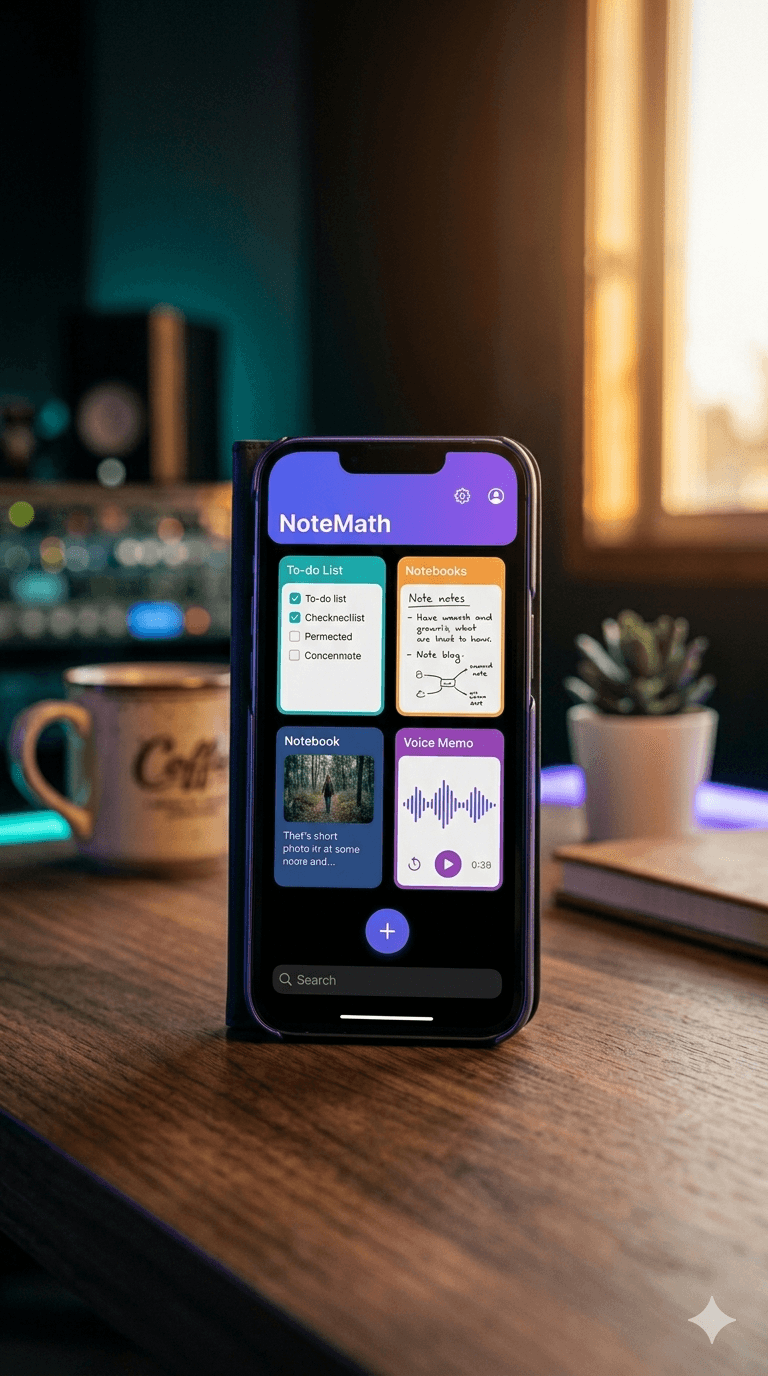
Ideas don't arrive in one format. Sometimes it's a shopping list. Sometimes it's a paragraph you need to get out of your head before it disappears. Sometimes it's a photo of a whiteboard, or a thought you'd rather say out loud while you're walking. Most people end up scattering these across three or four apps — and then can't find any of them. NoteMath gives every kind of note a home in one clean, fast app, and keeps it all searchable, tagged and synced.
In this article
Four notebook types, one library
Tap the + button and pick what kind of note you want. Each type has its own editor, designed for that job instead of forcing everything into a text box.
- To-do lists — add tasks, tick them off, drag to reorder, and swipe to delete. Great for shopping, packing, or the week's work.
- Text notes — free-form writing for ideas, drafts, meeting notes and anything long.
- Image notes — take a photo with your camera or pick one from your gallery, then add a caption. Whiteboards, receipts, recipes, a parking spot.
- Voice notes — record an audio memo in one tap and play it back with pause and resume.
Turn tasks into calendar events
A to-do item with a deadline belongs in your calendar, not just your notes. In any to-do list, you can schedule a task: pick one of your phone's calendars, choose a date and time, and NoteMath creates the event for you. If you later delete the task, the matching calendar event is removed too, so your calendar doesn't fill up with ghosts.
Find anything, fast
A notes app is only as good as its search. NoteMath's search looks through note titles, the text inside notes, the individual items in your to-do lists, and your tags — all at once.
- Tags — create your own (work, home, recipes, ideas…) and add several to any note. Each tag gets its own colour so you can spot it in the grid.
- Sorting — by last modified, by notebook type, or alphabetically. Your choice is remembered.
- A tidy grid — a two-column layout with a colour bar and icon for each notebook type, a preview of what's inside, and when you last touched it.
- Pull to refresh, and long-press any note to delete it (with a confirmation, so nothing goes by accident).
Saved automatically, synced everywhere
You'll never see a Save button you forgot to press. NoteMath auto-saves as you type, and makes sure any pending changes are written before you leave a note.
Sign in with Google and your notebooks sync to the cloud — including the photos and voice recordings inside them — so they're waiting for you on your next phone. If you'd rather just try the app first, you can continue as a guest.
Designed to feel calm
- Light, Dark and System themes — follow your phone's setting or pick your own.
- Haptic feedback on the actions that matter, so the app feels responsive.
- Your name, your way — set a display name in your profile.
A few ways people use NoteMath
- Students keep lecture notes as text, photos of the board as image notes, and assignment deadlines as scheduled tasks.
- Parents run the grocery list, the school-supplies checklist and a voice note of the paediatrician's advice — all tagged "family".
- Freelancers jot client ideas as text, voice-record thoughts on the go, and turn deliverables into calendar events.
- Home cooks save recipes as photo notes with the tweaks written in the caption.
Get started
- 1Download NoteMath from Google Play.
- 2Sign in with Google (or continue as a guest).
- 3Tap + and choose a to-do list, text, image or voice note.
- 4Add a tag or two so it's easy to find later.
Frequently asked questions
Is NoteMath free?
+
Yes. NoteMath is free to download and use on Android. It is supported by ads.
Do my notes sync between devices?
+
Yes, when you sign in with Google. Your notebooks, tags and settings sync to the cloud, and photos and voice recordings are uploaded alongside them.
Can I use NoteMath without an account?
+
You can continue as a guest to try the app. To keep your notes across devices, sign in with Google.
Can NoteMath add tasks to my calendar?
+
Yes. Any item in a to-do list can be scheduled into one of your phone's calendars with a date and time. Deleting the task also deletes the calendar event.
Does NoteMath have a dark mode?
+
Yes — choose Light, Dark, or follow your phone's System setting.